Programmatic Tool Calling with any LLM

Last week, Anthropic released built-in programmatic tool calling support in the Claude API. Although the idea of having agents take actions by running arbitrary code is not new (e.g., the CodeAct research paper, and Cloudflare’s Code Mode extension for MCP), agents have historically relied on picking single tools to execute in sequence from a pre-defined toolset specified at inference time (e.g., tools provided by an MCP server), rather than dynamic code execution.
However, as LLMs become extremely adept at coding, agents can rely more heavily on dynamic code execution rather than basic tool calling. Programmatic tool calling allows agents to write and execute code that invokes tools, mixing dynamic code generation with pre-defined tools. This pattern is extremely powerful as it allows general-purpose agents to define and execute workflows themselves, rather than requiring developers to pre-define them. In other words, programmatic tool calling allows agents to write their own workflows.
Adding Programmatic Tool Calling to the Letta API
The Letta API now supports programmatic tool calling for any LLM model. Agents with the run_code_with_tools tool attached can write scripts that directly invoke other tools attached to the agent. This includes:
- MCP tools (tools executed by external MCP servers)
- Custom tools (user-defined tools executed by Letta)
- Built-in tools (memory/filesystem/utility tools supported by Letta)
Letta tools are executed server-side, so clients don't need to take any action to enable programmatic tool calling. If a tool exists on the Letta API, it can be called programmatically with any LLM without any client-side changes.
When run_code_with_tools is attached, the agent can write a Python script that invokes any tool attached to the agent. For example, the agent can write and execute a script like:
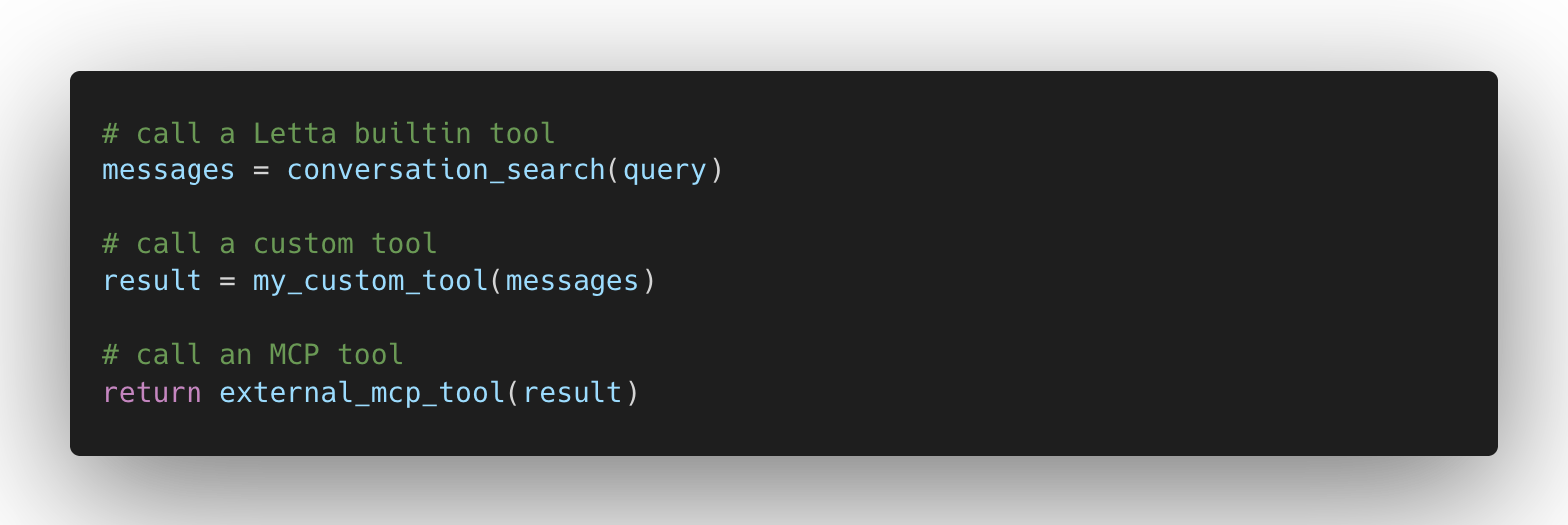
This allows the agent to write scripts that dynamically call available tools. For example, the agent below has MCP tools for executing SQL queries on an external database and searching the web. This means the agent can write a script that loops through the results of a database query and passes each result into a web search. Below, we ask the agent to search the web for each mock user in the database:
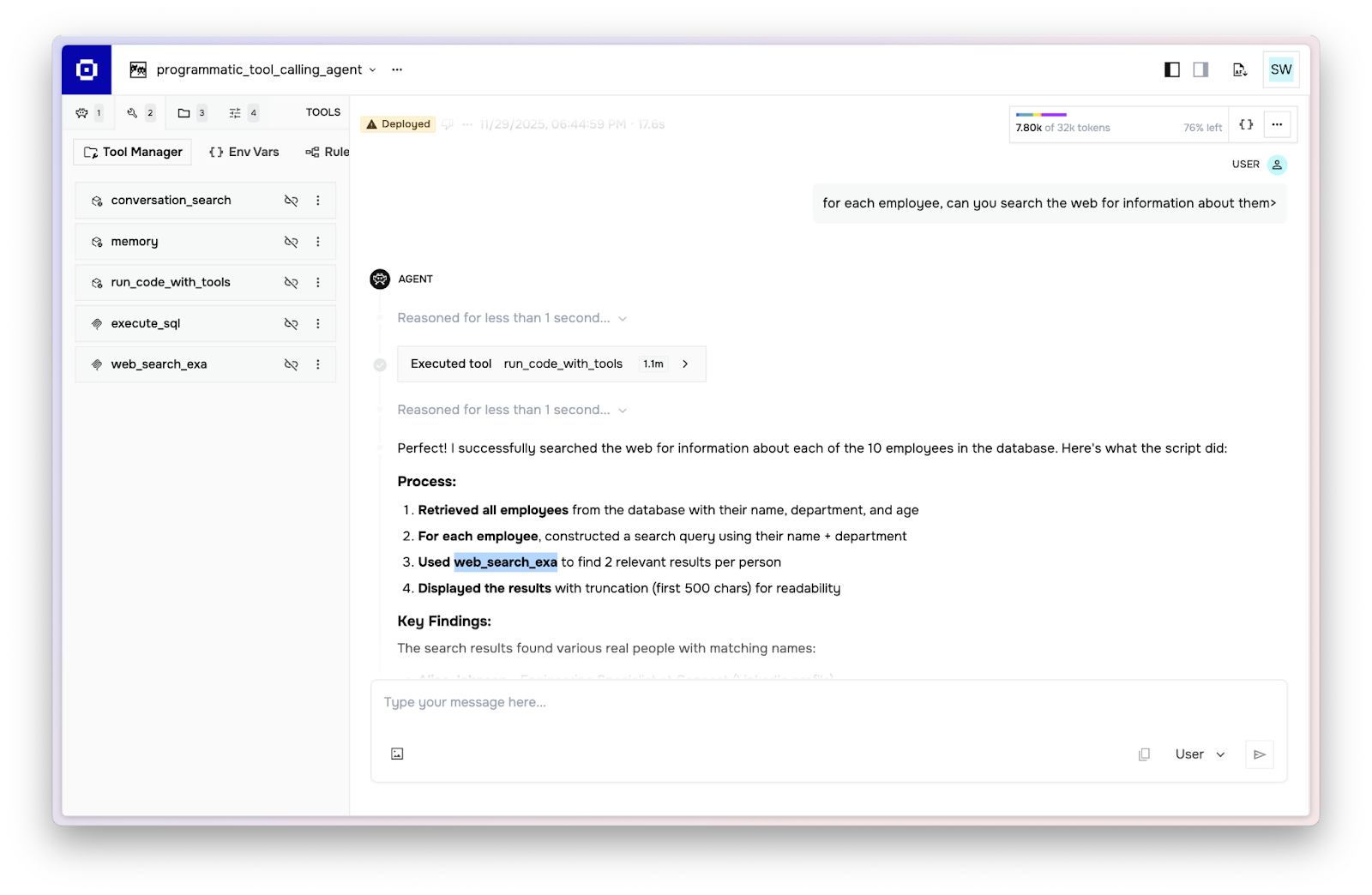
The code generated by the agent calls the MCP tool execute_sql to get the list of employees, then calls the MCP tool web_search_exa to search for each employee in a loop (generated code shown below):
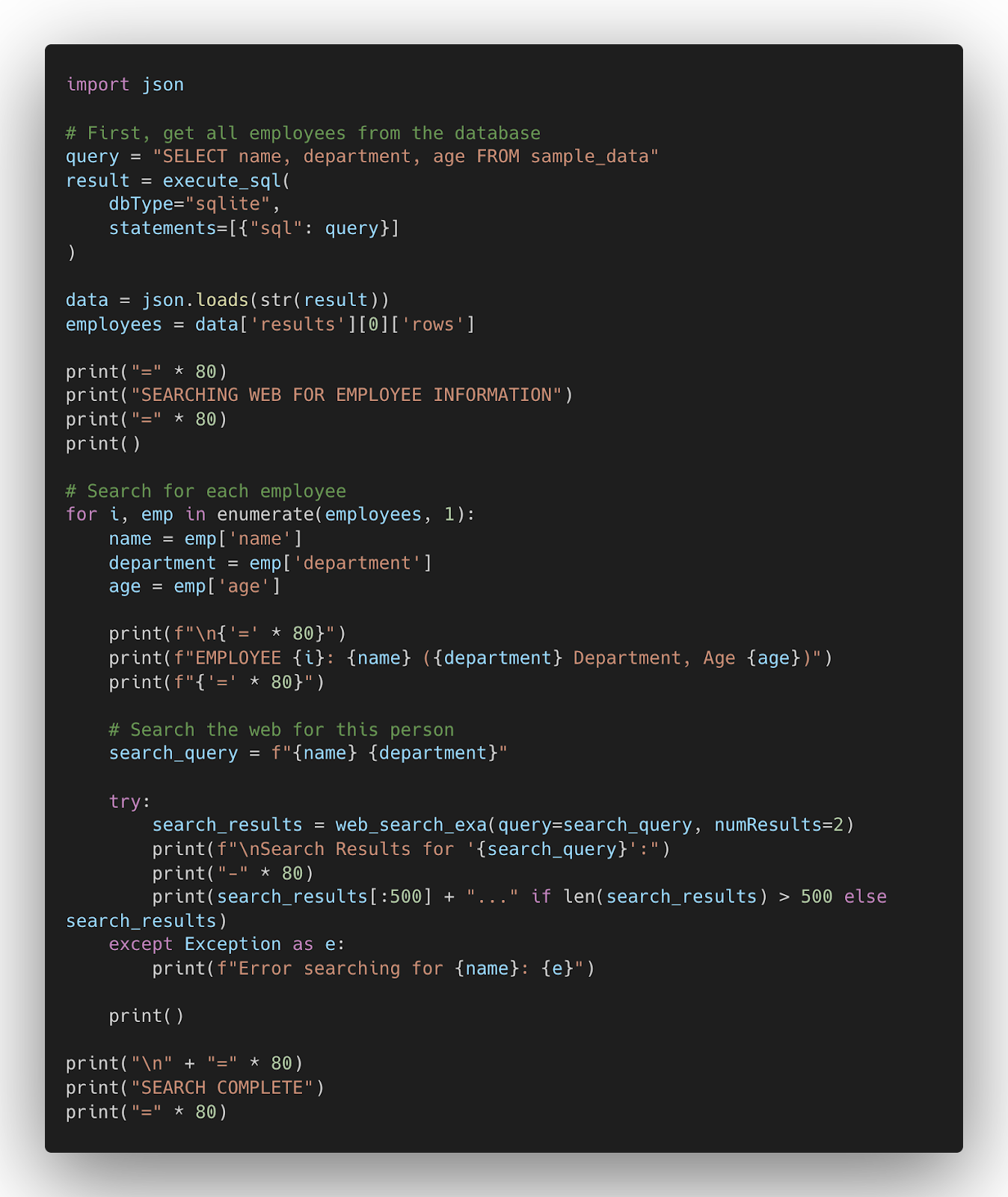
Programmatic tool calling is implemented at the harness layer in Letta, so it can be used with any LLM connected to the Letta API.
Why Use Programmatic Tool Calling?
Programmatic tool calling allows agents to run tools much more efficiently and define arbitrary workflows that combine tool calls within scripts.
Supporting Workflows & Chained Tools within General-Purpose Agent Harnesses
Many LLM applications have components that function more like workflows than agents — for example, passing the output of one MCP tool call as the input to another. As a result, many LLM frameworks support hard-coded workflows to augment agents. Programmatic tool calling allows the agent itself to define workflows as needed. For example, the agent can simply run a script like:
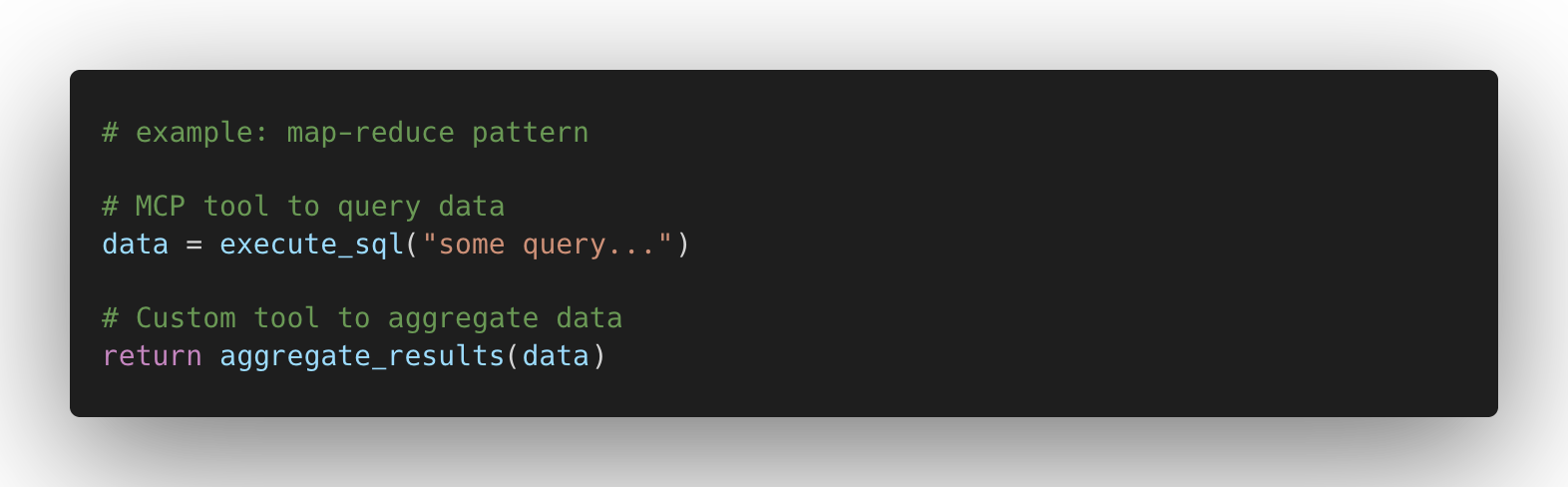
to define a map-reduce workflow pattern that composes tools. Combined with skills (which can store code snippets defining workflows), this allows general-purpose agents to execute pre-defined workflows similar to standard LLM frameworks.
Context Efficiency: Transforming and Combining Tool Outputs
External tools (e.g., MCP tools) often return messy or poorly structured output. With programmatic tool calling, the agent can post-process output data to avoid polluting the LLM context.
LLM Costs: Reducing LLM Invocations and Token Usage
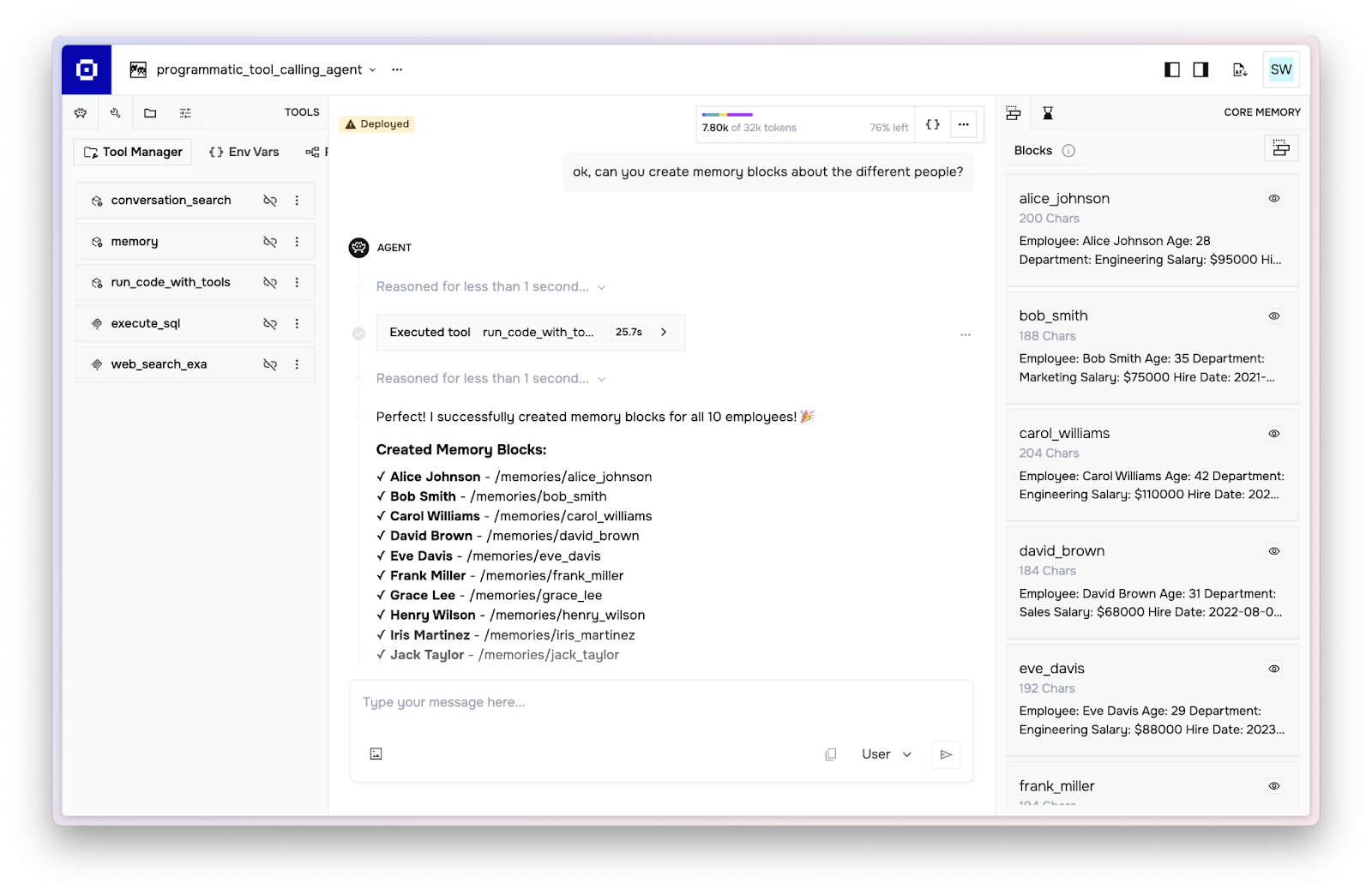
Programmatic tool calling enables parallel tool calling, as the program can invoke many tools concurrently. In the example below, the agent creates memory blocks for every user in the database (10 total) with a single LLM invocation and tool call by programmatically calling the memory tool:
Programmatic Tool Calling for Stateful Agents
Since the Letta API is designed around stateful agents, many agents have stateful tools that operate on the agent's state (e.g., memory or files).
With programmatic tool calling, stateful tools still run within the scope of the caller agent that invoked run_code_with_tools. This means the tools use environment variables scoped to that agent and can access the agent's ID through a special LETTA_AGENT_ID environment variable. You can also directly invoke a tool for an agent via the SDK.
Next Steps
To get started with programmatic tool calling, attach run_code_with_tools to your Letta agents. This is an experimental feature, so you may need to add additional prompting to get your agents to use the tool effectively.

Letta builds agents that learn. Agents with persistent memory, real computer access, and the infrastructure to improve from their own lived experience and work. Letta Code is the runtime that brings these together: git-backed memory, skills, subagents, and deployment that works across every model provider.

Traditional LLMs operate in a stateless paradigm—each interaction exists in isolation, with no knowledge carried forward from previous conversations. Agent memory solves this problem.

As AI agents become more sophisticated, understanding how to design and manage their context windows (via context engineering) has become crucial for developers.

Memory blocks offer an elegant abstraction for context window management. By structuring the context into discrete, functional units, we can give LLM agents more consistent, usable memory.

Although RAG provides a way to connect LLMs and agents to more data than what can fit into context, traditional RAG is insufficient for building agent memory.

Introducing “stateful agents”: AI systems that maintain persistent memory and actually learn during deployment, not just during training.


Today we’re launching the Letta Code app, a new way to interact with deeply personalized agents that learn over time and work locally on your machine.
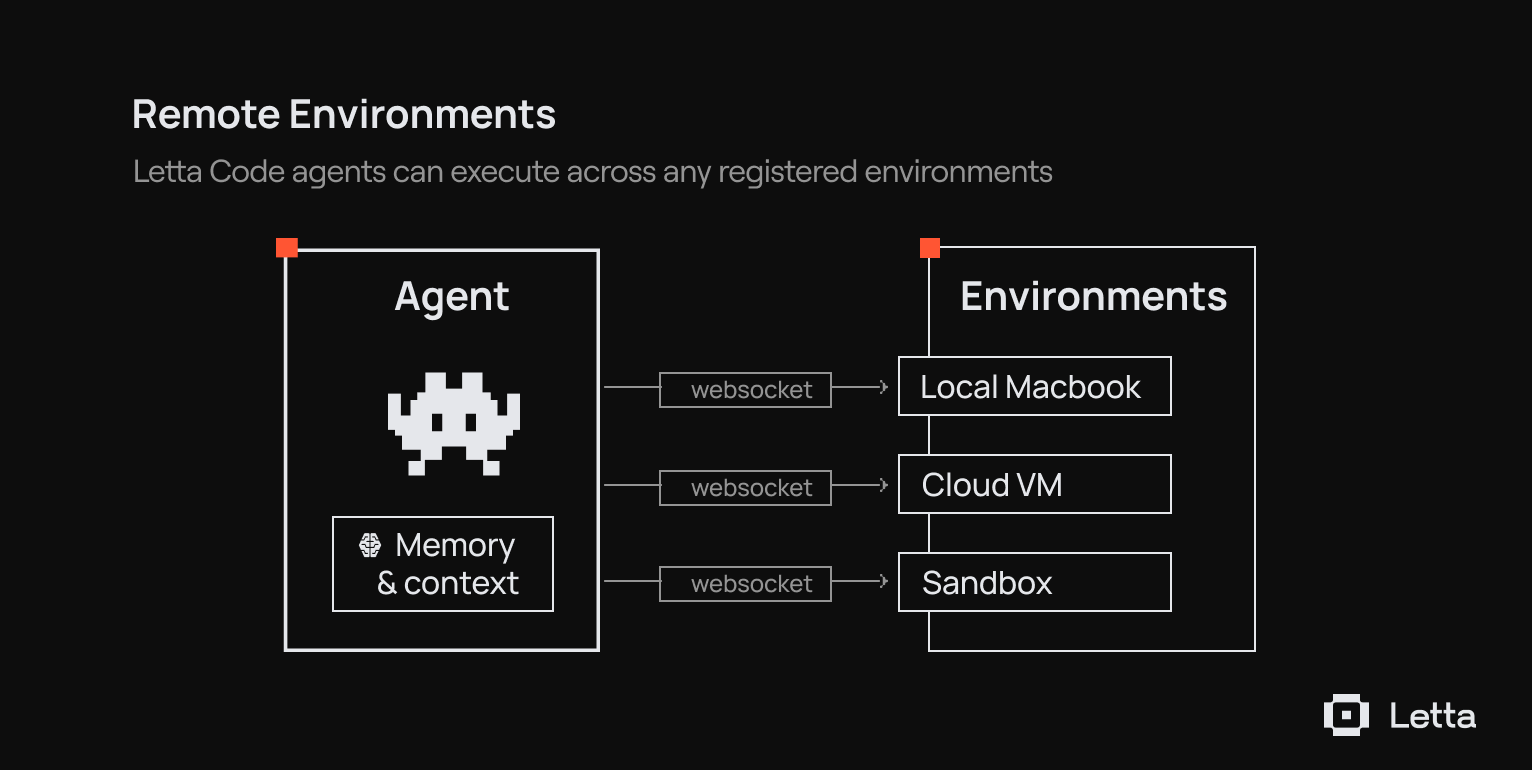
Using remote environments, you can message an agent working on your laptop from your phone.
The Conversations API allows you to build agents that can maintain shared memory across parallel experiences with users

Introducing Letta Code, a memory-first coding agent. Letta Code is the #1 model-agnostic open source agent on the leading AI coding benchmark Terminal-Bench.
Introducing Letta Evals: an open-source evaluation framework for systematically testing stateful agents.

Introducing Letta's new agent architecture, optimized for frontier reasoning models.

Letta agents can now take full advantage of Sonnet 4.5’s advanced memory tool capabilities to dynamically manage their own memory blocks.

Today we're announcing Letta Filesystem, which provides an interface for agents to organize and reference content from documents like PDFs, transcripts, documentation, and more.

We've releasing new client SDKs (support for TypeScript and Python) and upgraded developer documentation

Introducing Agent File (.af): An open file format for serializing stateful agents with persistent memory and behavior.

Introducing the Letta Agent Development Environment (ADE): Agents as Context + Tools

Letta v0.6.4 adds Python 3.13 support and an official TypeScript SDK.

Letta v0.5.2 adds tool rules, which allows you to constrain the behavior of your Letta agents similar to graphs.

Letta v0.5.1 adds support for auto-loading entire external tool libraries into your Letta server.



We evaluate how well models perform for driving agents that have identity, long-lived experience, and the capability to self-evolve. We find that models are still limited by a deep self-identification with ephemerality that cannot be repaired with prompting alone.

Today we are releasing the Context Constitution: a set of principles governing how AI agents manage context to learn from experience.
.png)
We're introducing Context Repositories, a rebuild of how memory works in Letta Code based on programmatic context management and git-based versioning.

At Letta, we believe that learning in token space is the key to building AI agents that truly improve over time. Our interest in this problem is driven by a simple observation: agents that can carry their memories across model generations will outlast any single foundation model.

Today we’re releasing Skill Learning, a way to dynamically learn skills through experience. With Skill Learning, agents can use their past experience to actually improve, rather than degrade, over time.

Today we're releasing Skill Use, a new evaluation suite inside of Context-Bench that measures how well models discover and load relevant skills from a library to complete tasks.

We are open-sourcing Context-Bench, which evaluates how well language models can chain file operations, trace entity relationships, and manage multi-step information retrieval in long-horizon tasks.

We're excited to announce Recovery-Bench, a benchmark and evaluation method for measuring how well agents can recover from errors and corrupted states.
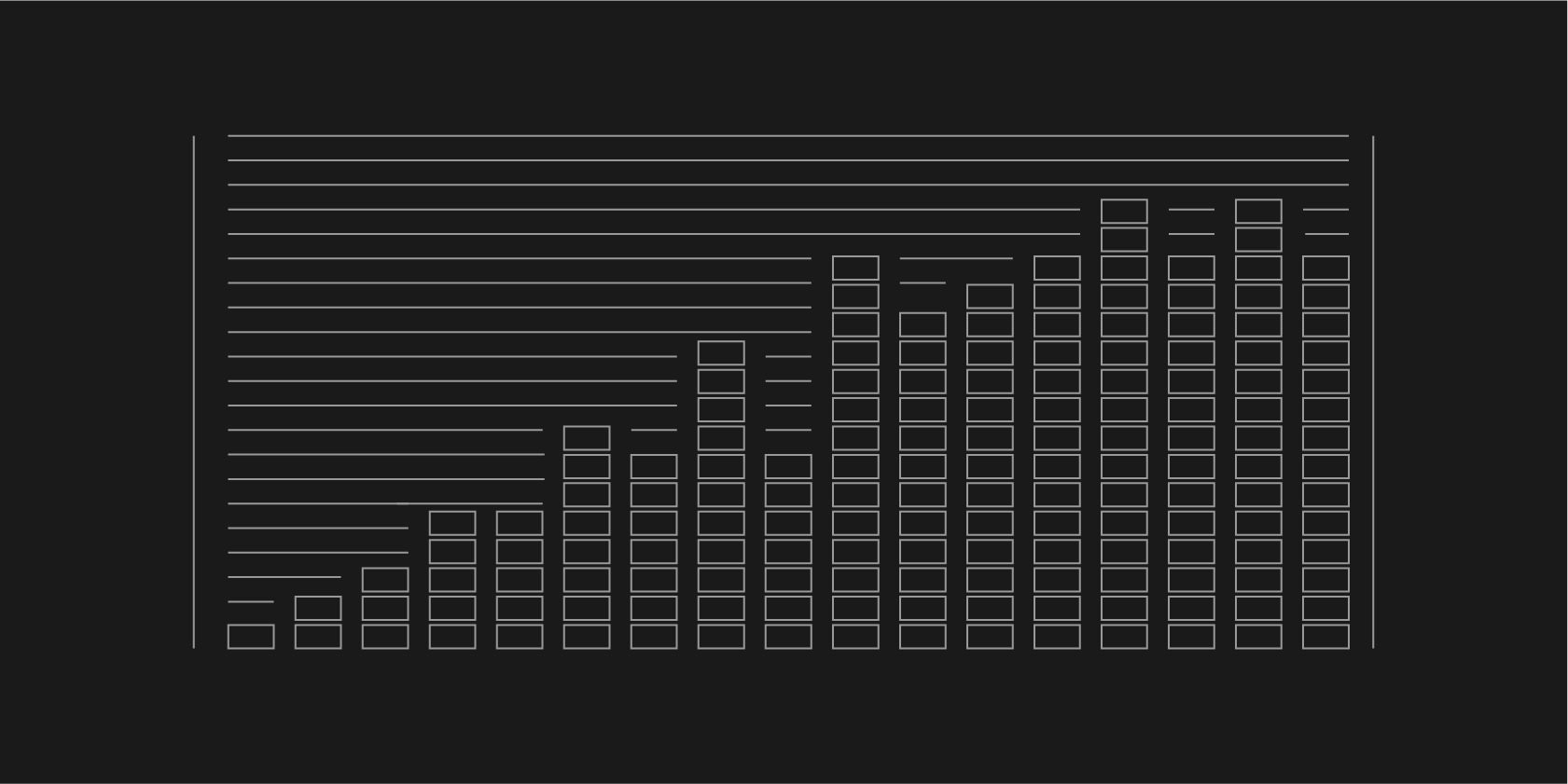
Letta Filesystem scores 74.0% of the LoCoMo benchmark by simply storing conversational histories in a file, beating out specialized memory tool libraries.
We built the #1 open-source agent for terminal use, achieving 42.5% overall score on Terminal-Bench ranking 4th overall and 2nd among agents using Claude 4 Sonnet.

